
Splittable agent panes
Split any pane horizontally or vertically, as deep as you like. Drag tabs or panes to re-dock, swap, or maximize — sizes persist per project.
native · built on GPUI · no electron
muxel is a terminal multiplexer shaped like an agent manager — splittable panes and tabs, first-class git worktrees, live status, task runners and scheduled loops, SSH remotes, a built-in editor and file browser, plus notifications when an agent needs you.
Free & open source · GPL-3.0 · Linux / macOS / Windows
01install
The site detects your platform and shows the right command — or pick a tab yourself.
curl -fsSL https://muxel.sh/install.sh | sh
Grabs the latest build straight from GitHub.
.AppImage, chmod +x, run it.sudo apt install ./muxel_*.debsudo dnf install ./muxel-*.rpmcurl -fsSL https://muxel.sh/install.sh | sh
Universal — Intel & Apple Silicon. Installs muxel.app to ~/Applications.
irm https://muxel.sh/install.ps1 | iex
Run in PowerShell — downloads and installs to your user profile.
02features
muxel is shaped like an agent manager, not “another terminal app.”
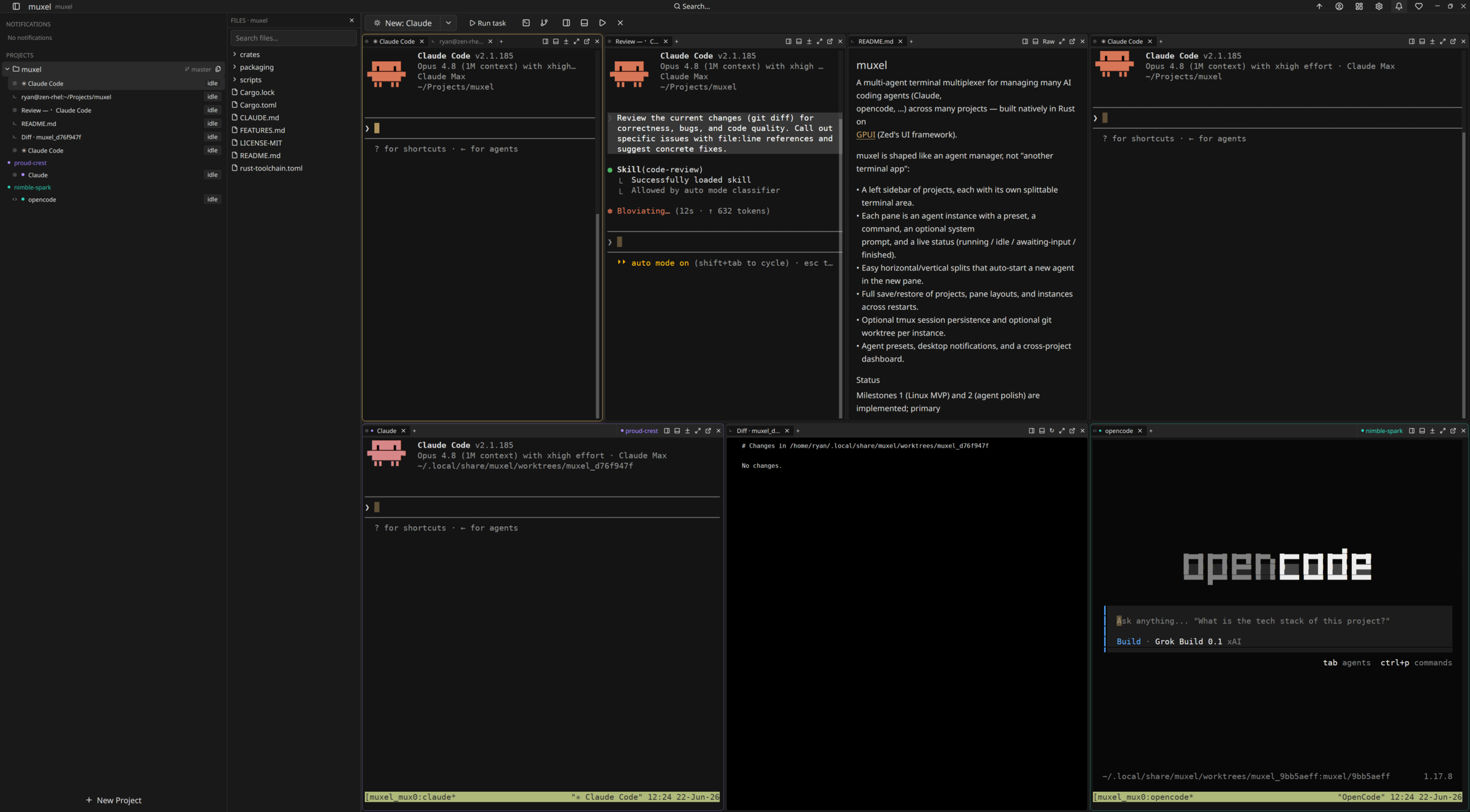
Split any pane horizontally or vertically, as deep as you like. Drag tabs or panes to re-dock, swap, or maximize — sizes persist per project.
Working, idle, blocked or done — color-coded on tabs, sidebar and dashboard. Jump to the next agent that needs you with Ctrl+Shift+A.
Color-coded worktrees keep parallel agents isolated. Commit, merge, discard or keep when done — unmerged commits are caught before they're orphaned, with in-worktree review and GitHub PR actions.
Each pane is a tab group with drag-to-reorder, cross-pane moves, and pinned tabs. Right-click for rename, duplicate, and close options.
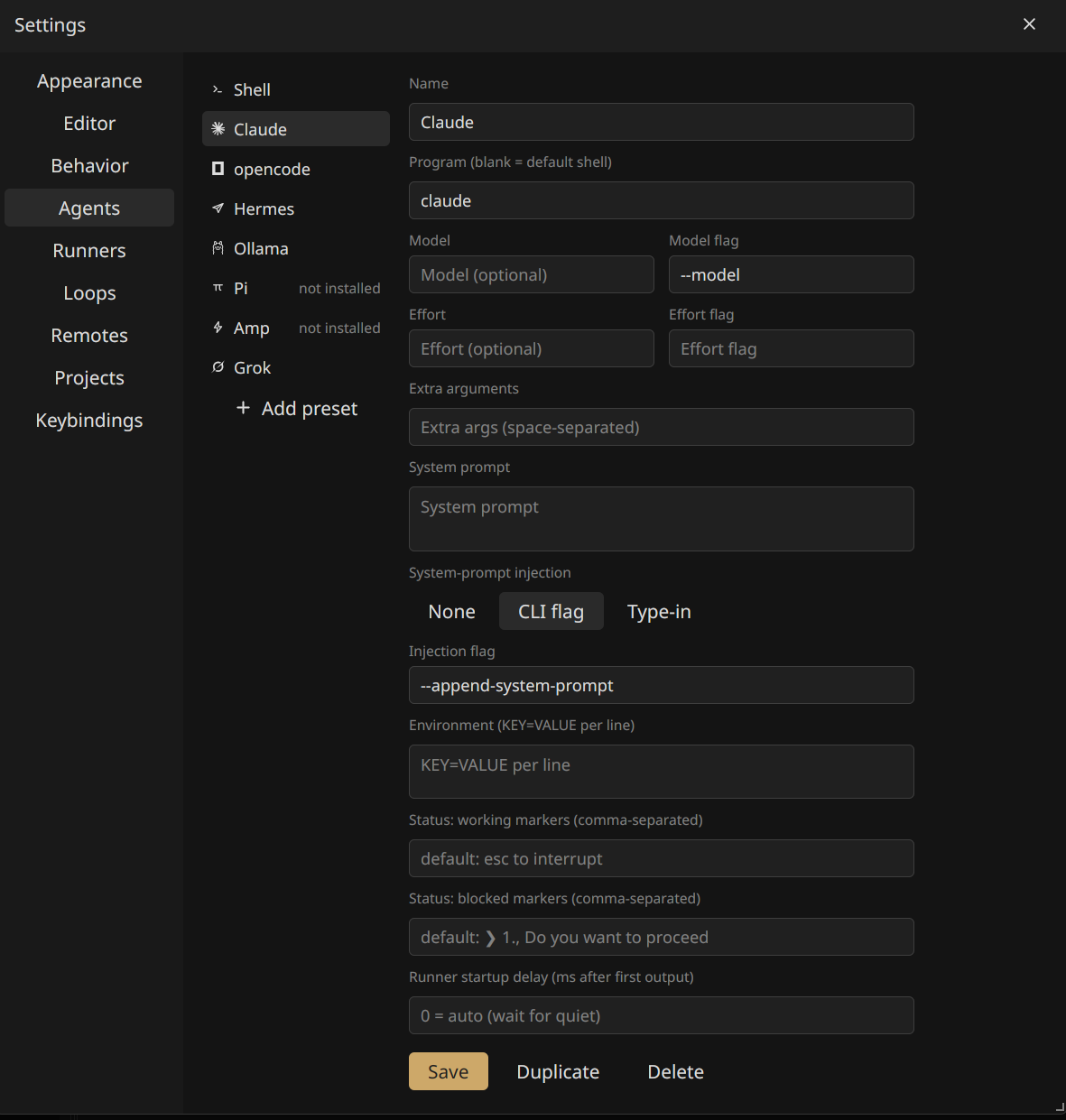
Shell, Claude, opencode, Amp, Grok, Hermes, Ollama, Ollama Code and Pi — each fully configurable, and hidden until its binary is installed. Broadcast one prompt to every agent at once.
Every pane keeps a stable session id, so resume-capable agents like Claude reopen their previous conversation on restart instead of starting fresh.
Opt-in per project: agents write durable lessons to a shared memory file that muxel keeps sorted, timestamped and pruned. Search, pin and edit it from a docked panel.
One view of every agent in every project with live status — click to jump straight to it.
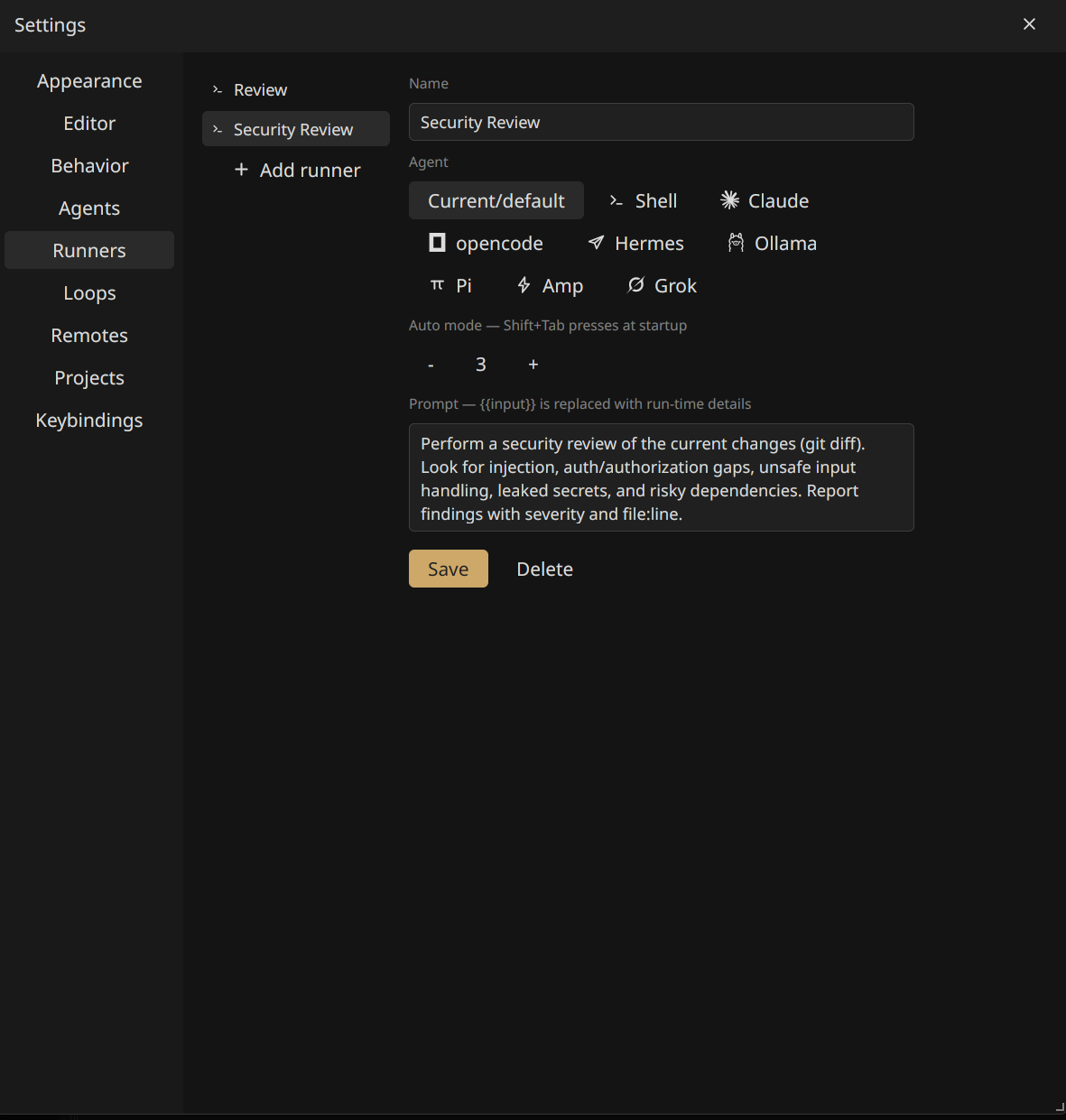
Launchers like Review and Security Review spawn an agent and type the prompt for you. Define your own with templated prompts.
Type saved text into any running pane — from the toolbar, the palette, or a tab's right-click menu. Per snippet: auto-submit, or drop it in for review.
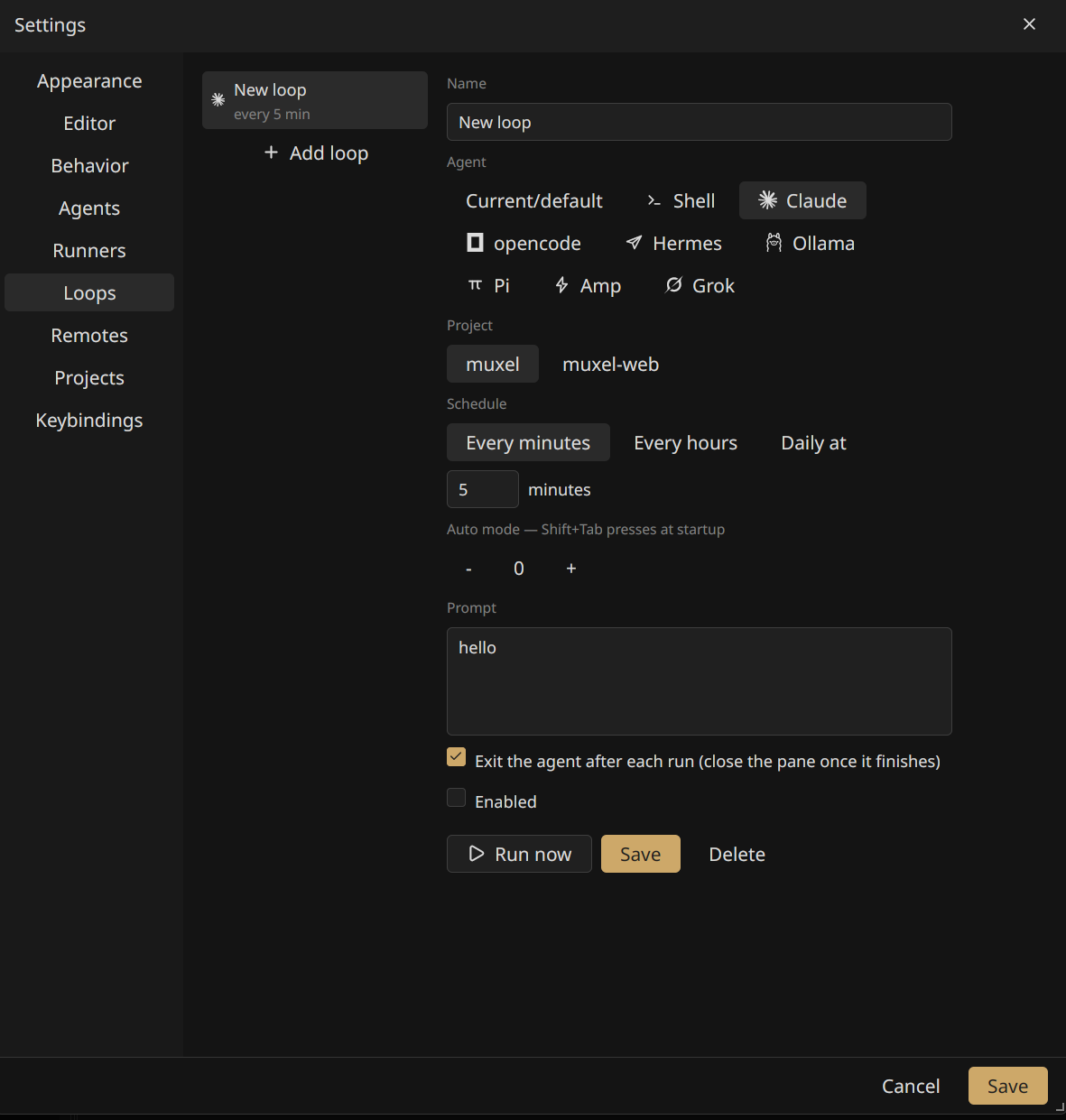
Run a saved prompt every few minutes, hourly, or daily at a set time. Loops fire in a fresh pane without stealing focus, then leave the agent running or exit it when done.
Run agents on remote hosts over SSH — the UI, editor and file browser stay local. tmux keeps sessions alive across drops, and pane layouts roam with the project.
Built-in editor, gitignore-aware file browser, and markdown/image rendering. Review diffs split or unified; stage, discard and commit from the git panel.
Ctrl+Shift+P jumps to any file or agent. Search project files or terminal scrollback without leaving your flow.
Full alacritty-based VTE with truecolor, scrollback search, clickable URLs and OSC-52 clipboard. Agents know when their pane is focused.
Projects show live agent status and current branch. Branch, commit, pull, push and stash from a right-click — and pick exactly which files each commit includes.
Desktop alerts when an unfocused agent needs you, an in-app feed that collects everything, and an optional system tray showing live agent status.
Pop any pane into its own OS window and dock it back later. Multiple workspaces keep separate project sets — open two side by side in different windows.
Layout, split sizes and window geometry persist across restarts. Reopen exactly where you left off.
~22 bundled themes, remappable keybindings, independent font sizes — and a UI that speaks your language, switchable live from settings.
Built on GPUI — no Electron, no web view. Linux, macOS and Windows with in-app updates.
03screenshots
A native desktop app — projects on the left, a grid of live agents on the right.
04download
Builds are produced by CI and attached to each GitHub release. Your platform is highlighted.
One universal app for Intel & Apple Silicon. Signed & notarized by Apple.
Signed installer (per-user, no admin) with auto-updates. Portable .zip also available.
Looking for a specific version, checksums, or release notes? Browse all releases on GitHub →